
Artificial Intelligence Art Work Examples

I've been integrating the AI tools now available within Adobe Creative Suite into my workflow. My approach is to use AI as a sophisticated assistant, not a replacement for my skillset. While I've experimented with other platforms like Midjourney and Dream Machine, focusing on Adobe's native tools—Firefly, Gemini, and others—offers a significant advantage: seamless integration into the professional illustration and design process I already use.
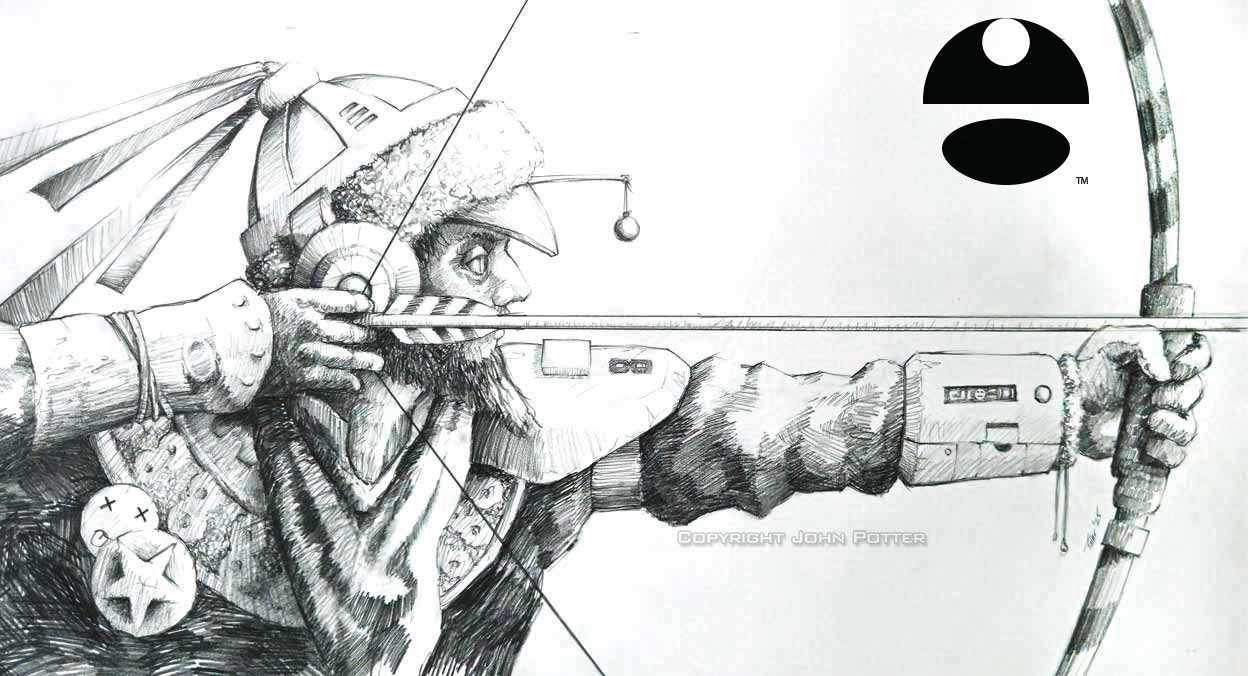
All work in this series begins with my own sketches. Some are from completed projects, while others are concepts I've had on file. Because this technology is new to everyone, I'm presenting this not as a traditional portfolio, but as a series of case studies exploring what works, what doesn't, and where the human artist remains essential.
This format also addresses a question I've often received when showing my work: "What exactly did you do here?" With AI-assisted art, that question is more relevant than ever. These case studies are my answer.
1. Archer
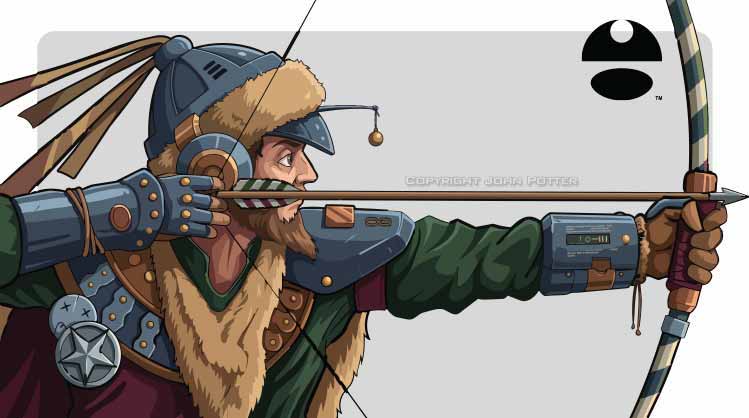
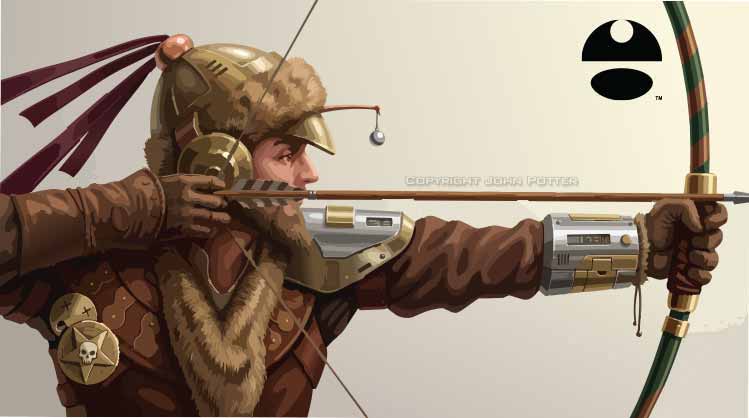
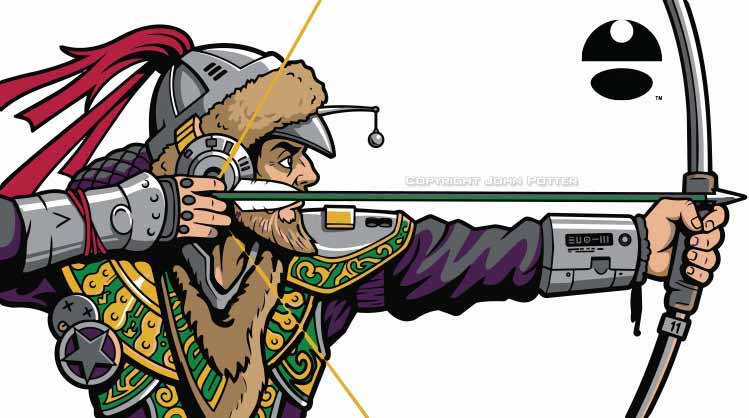
You may recognize this sketch from one of my paintings. Using Gemini 3.1 in Adobe Illustrator, I generated three distinct vector renderings from the same initial drawing. Each explores a different direction:
-
A version with shading and minimal linework.
-
A push toward photorealism.
-
A concept imagining the subject in a real-world scenario.
I limited the palette to fewer than twelve colors for each, ensuring they would be easily adaptable for spot-color applications.

2. Gator
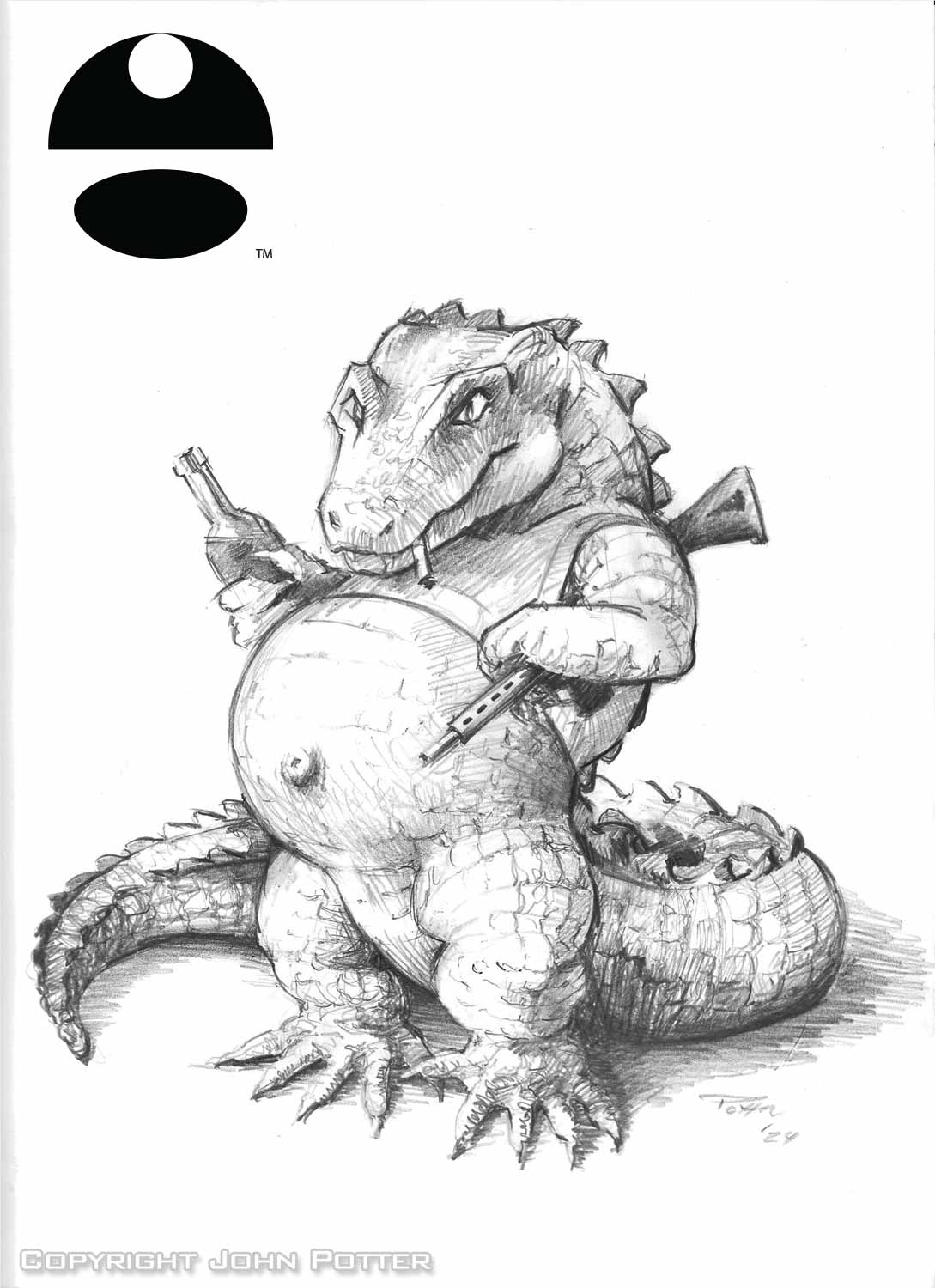
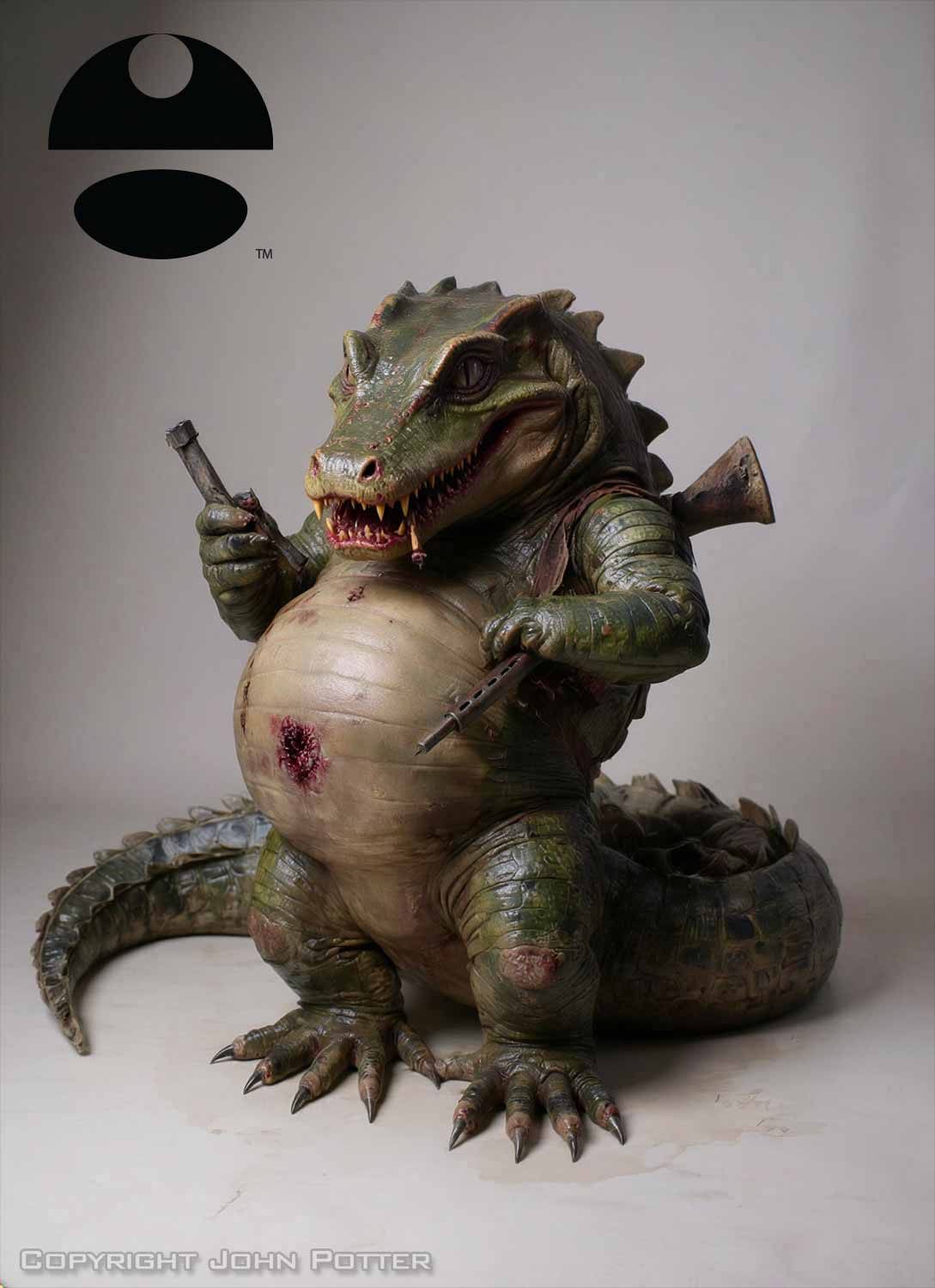
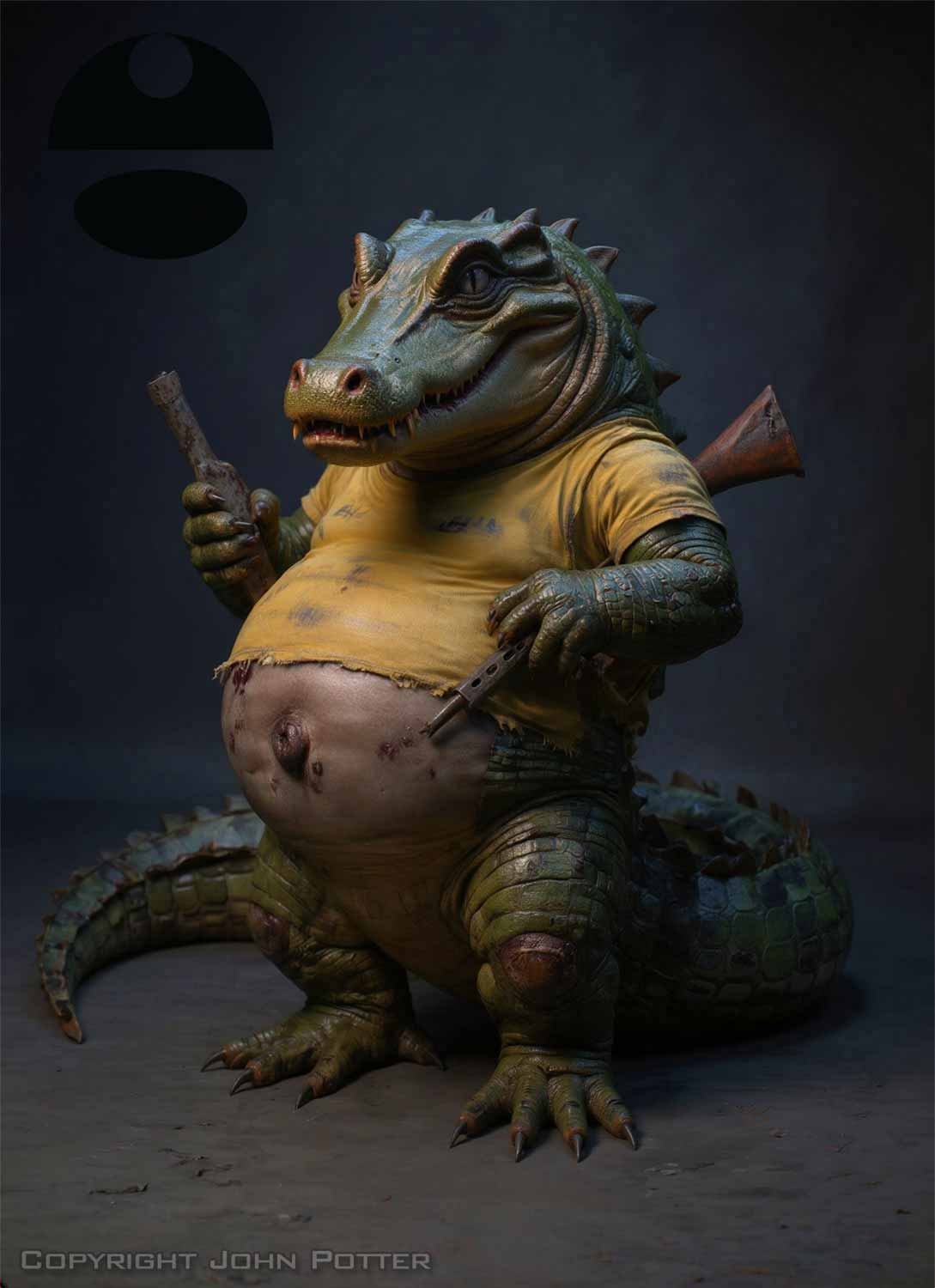
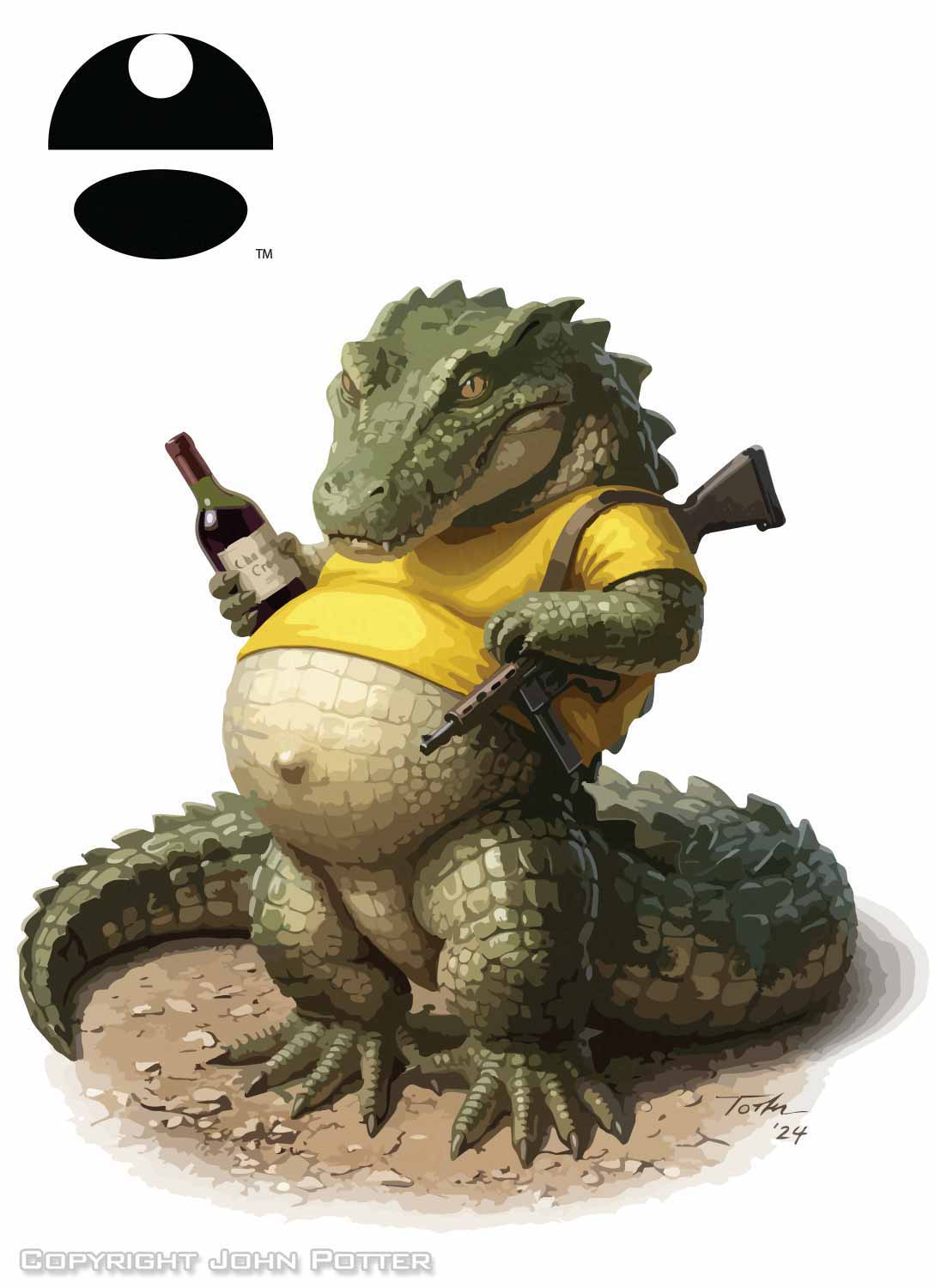
This "Florida Man" style sketch has been in my files for a while, without a specific brief. I explored it in both Illustrator and Photoshop. The Photoshop versions, created with Firefly Image 5, achieved a striking, creepy realism. However, I prefer the result from Illustrator's Gemini 3.1. This version adheres more faithfully to the size and proportions of my original sketch—a critical factor for many professional applications.
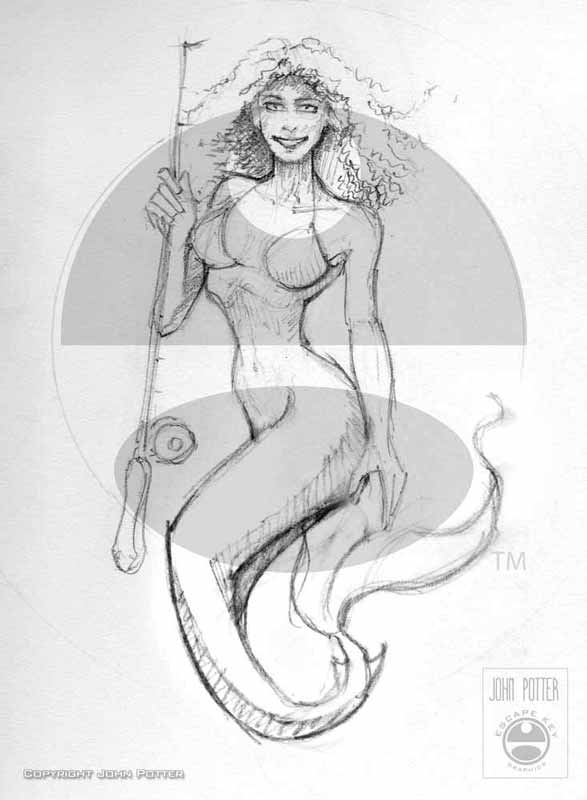
3. Mermaid
This was one of the most exciting experiments. The final rendering from Gemini 3.1 is impressive, but it took many attempts and subtle prompt refinements to reach this stage. I also produced a limited-color version, which, while more practical for some uses, was far less compelling. What I value most here is that the AI preserved the personality in the subject's face and the subtlety in the tail's shape—elements that were core to my original sketch.
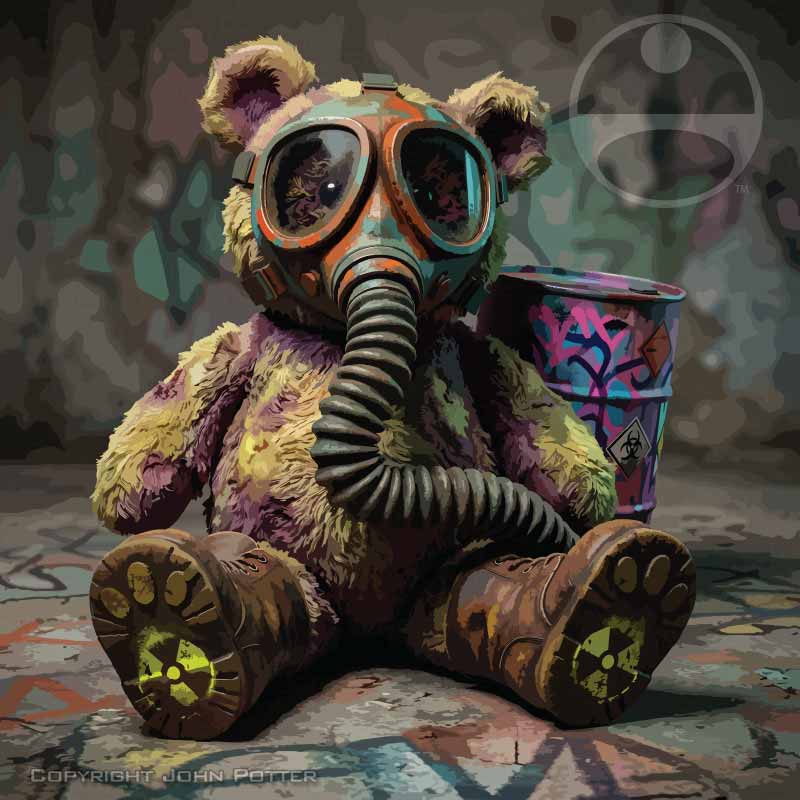
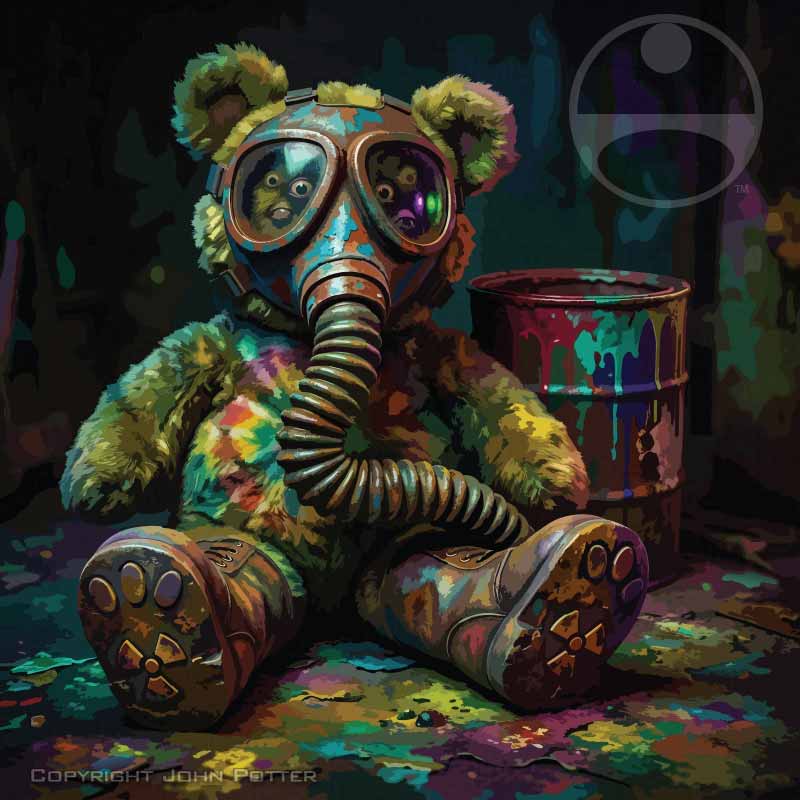
4. Teddy Bear
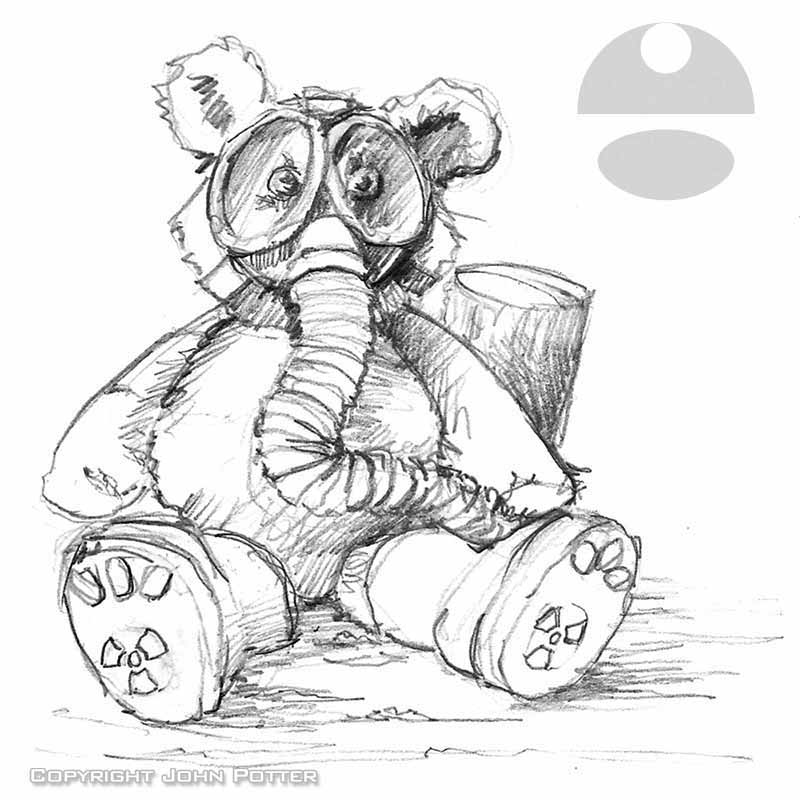
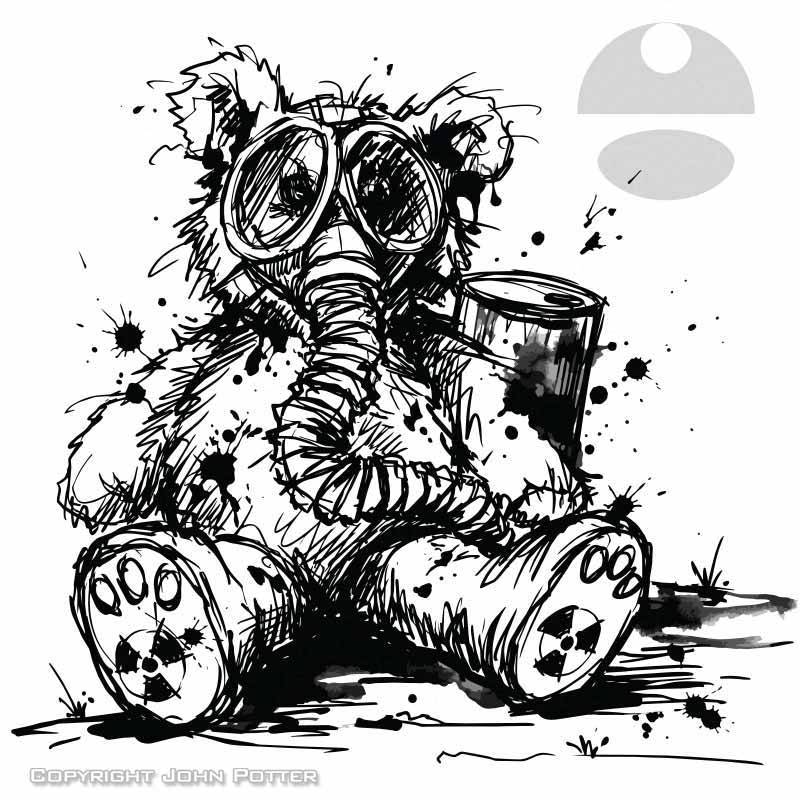
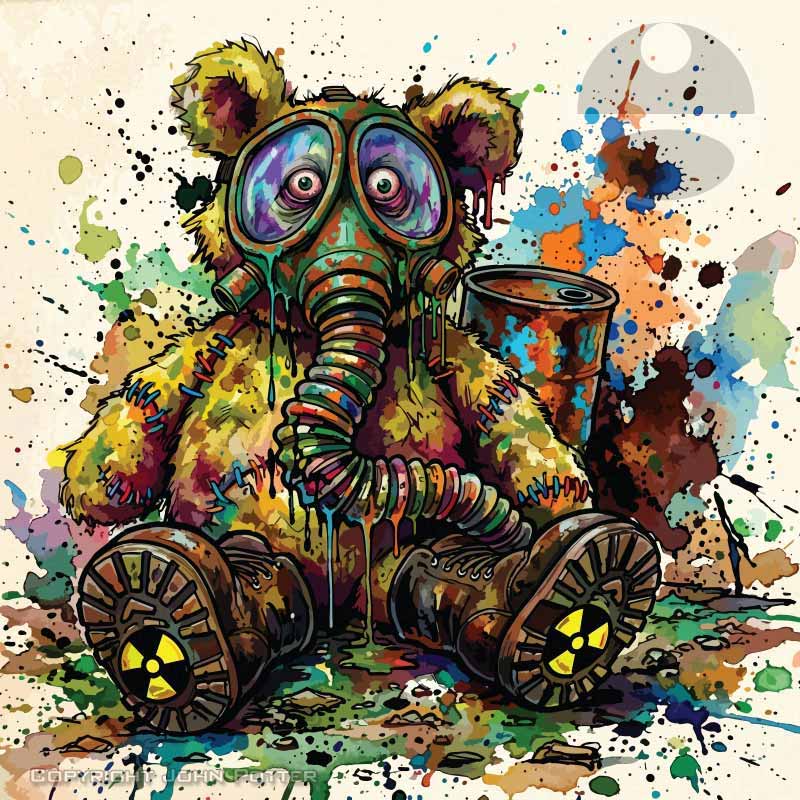
These images, all generated with Gemini 3.1 in Illustrator, are a great example of rapid style exploration. The vector-based realism is impressive. As you can see, I experimented with several aesthetics. For a client requiring a strict limited-color version, I would still expect to do significant manual work. However, for quickly visualizing different stylistic approaches to the same subject, this process is remarkably efficient.
In Conclusion
AI is an undeniably powerful tool, but its current iteration is highly unpredictable. A well-considered sketch as a foundation is essential. The better the composition, position, and scale are resolved in the initial drawing, the more likely you are to achieve a usable result.
Current Limitations & Professional Realities:
-
Stylistic Imitation: I find the AI's attempts at specific artistic styles (like Expressionism) unconvincing. It often produces what feels like a clip-art artist's superficial imitation of the style, lacking the depth and understanding of a true practitioner.
-
Revision Workflow: Perhaps its greatest weakness is the inability to make targeted revisions without impacting the entire image. Revisions account for most of my work on client projects, so this is a significant barrier for using AI in a professional, iterative environment.
-
Technical Precision: Meeting specific technical requirements (like a precise limited color palette) remains a challenge. While I could adapt many of these images, the AI is clearly not ready to deliver on such demands autonomously.
The Value I See:
This is not a negative conclusion. It is genuinely remarkable to see a rough sketch brought to life so quickly. For applications like spot illustrations or concept visualization, AI-generated images can serve as final products. More often, I find them inspirational, but they aren't what I would deliver to a client, but they crystallize my vision, making it easier to visualize and execute the final, refined illustration I want. This is a powerful time-saver.
On the practical side, tools like Photoshop's Remove Background and Generative Fill are already invaluable, real-world assets in my daily work. I don't foresee AI becoming a primary tool for my finished client work in the immediate future. However, many of its current technical shortfalls seem like solvable problems, and its advancement is inevitable. I am committed to staying current with these tools, remaining open-minded, and passing on the benefits, whether in efficiency or new creative possibilities, to my clients.
PORTFOLIOS
- Illustration Portfolio: Start here for custom illustration and book covers. You can also browse illustrated maps and architectural rendering.
- Fine Art: I offer original paintings and drawings, including my Custom Halftone Series. You will also find mural work here.
- Graphic Design & Motion: View my graphic design portfolio. After that, explore motion design and animated illustrations.
- Maps by application: I create illustrated maps for boat shows, resorts, marinas, real estate, transportation, transit and parking, towns and cities, parks, and wayfinding.
- Additional project types: I also produce cover illustration, vehicle and vinyl wraps, proposal renderings, and street art.
- Illustration methods: My techniques include vector, isometric and axonometric, painting, black and white, GeoData maps, overhead maps, and custom halftones.
- Software portfolios: I work primarily in Adobe Photoshop, Adobe Illustrator, SketchUp Pro, and Adobe InDesign. For motion projects, I use Premiere Pro and After Effects.