
Mural of Tentacles
Illustration, Design and Mural Painting by John Potter - Escape Key Graphics
Click on the image above to zoom in
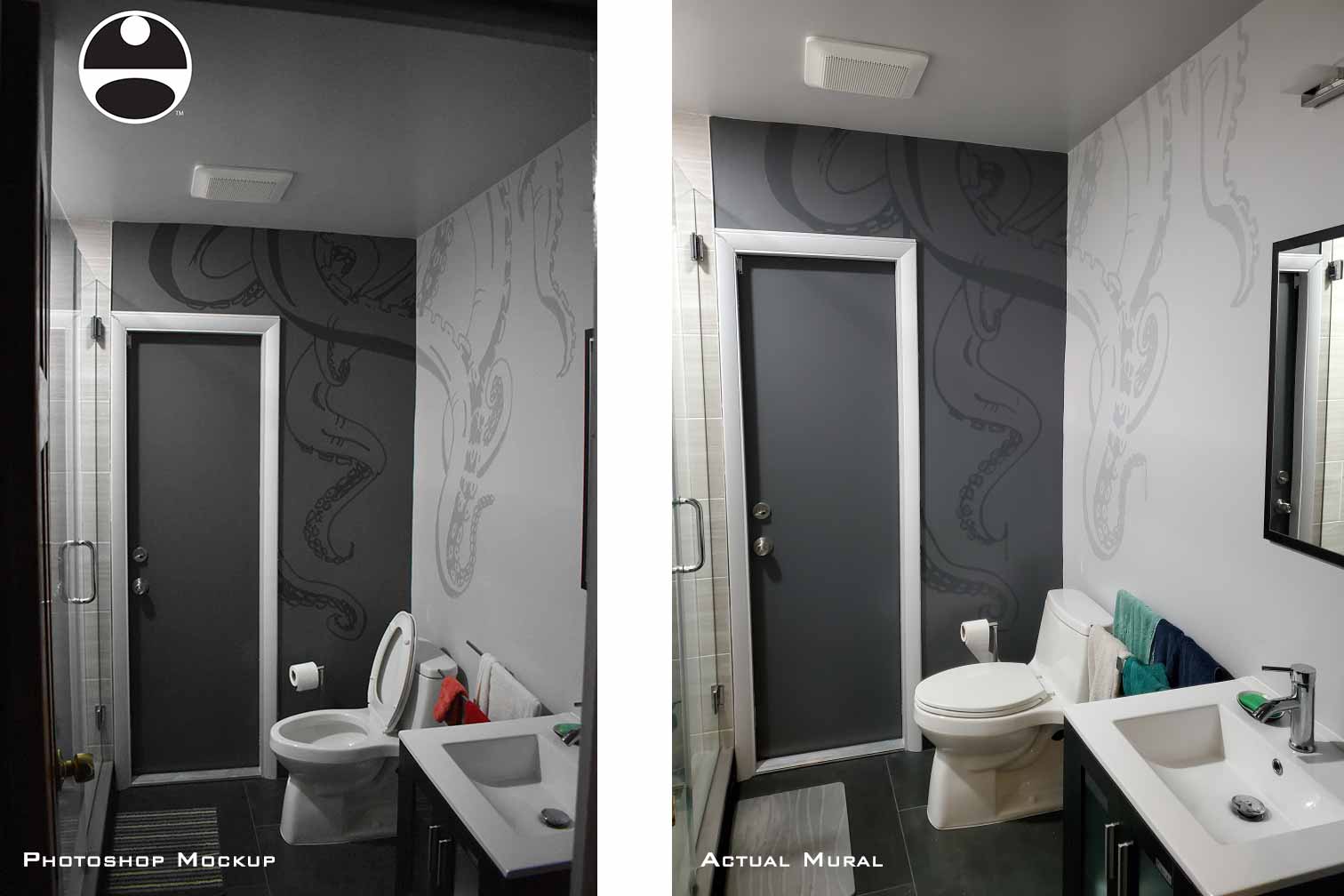
I have gotten a lot of questions about my methods, especially my method of enlarging images for murals. As a result I'm going to explain my workflow for this project.
I first made a diagram of the walls I was going to painting on to ensure it would fit properly. I then drew the illustration with pen and ink.
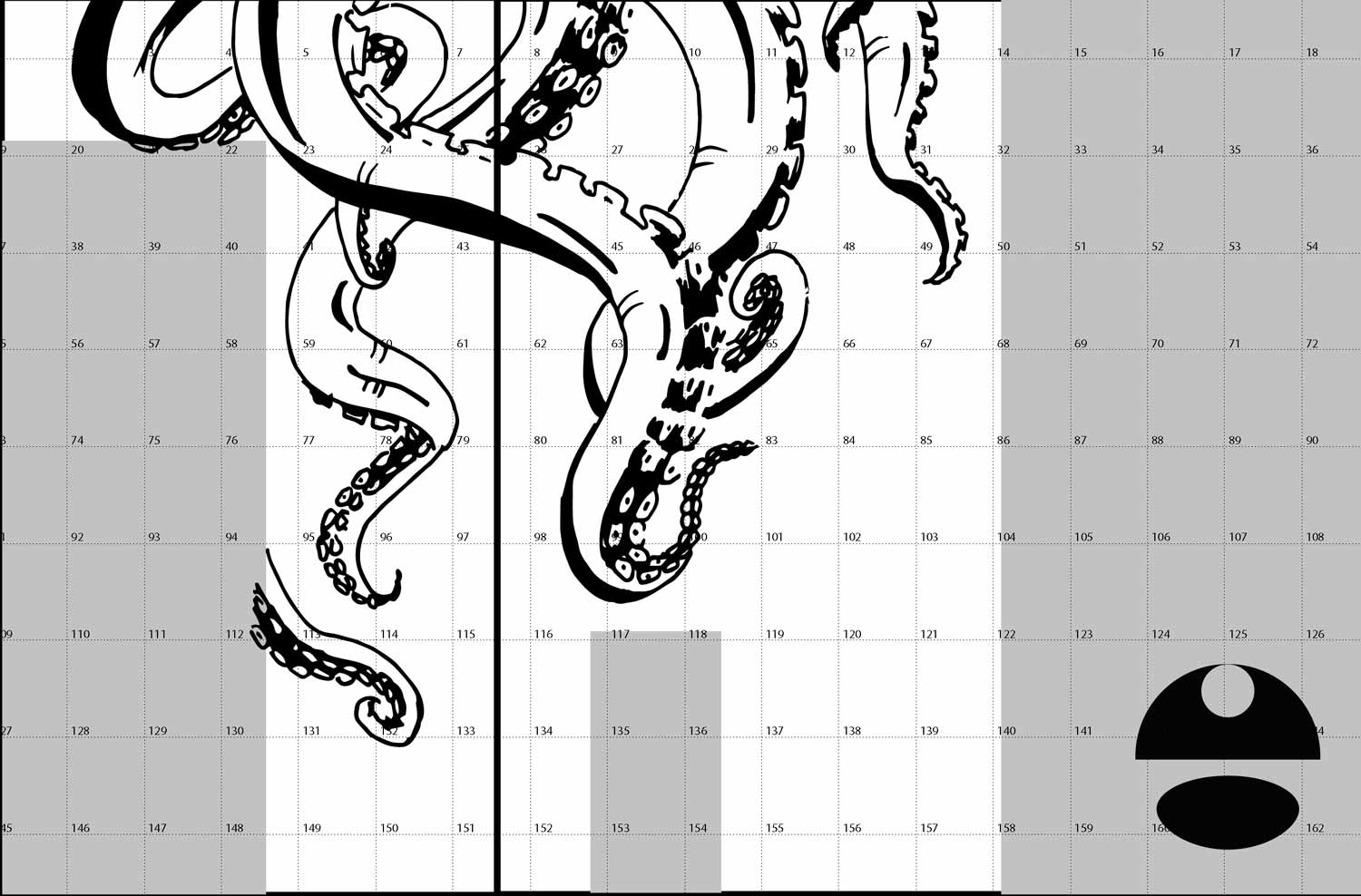
In this case I used tracing paper but I could have transcribed those measurements onto paper or board.
The next step was enlargement and although there are many methods of enlargement including this is the one I selected.
The method I used was to bring the drawing into Adobe Illustrator and using the print options I tiled the single image into several letter sized pages in a PDF file.
I could also have used a website called rasterbator.
I took that PDF file on a jump drive to my local print shop (i.e. FedEx Office, Staples, etc.) and had them print them out. This is far cheaper than doing it myself.
I took the resulting pages and taped them together on my floor in to create the enlarged image. The next task was to take rolls of sketch paper and trace the image onto them manually with a hard pencil (at least an HB).
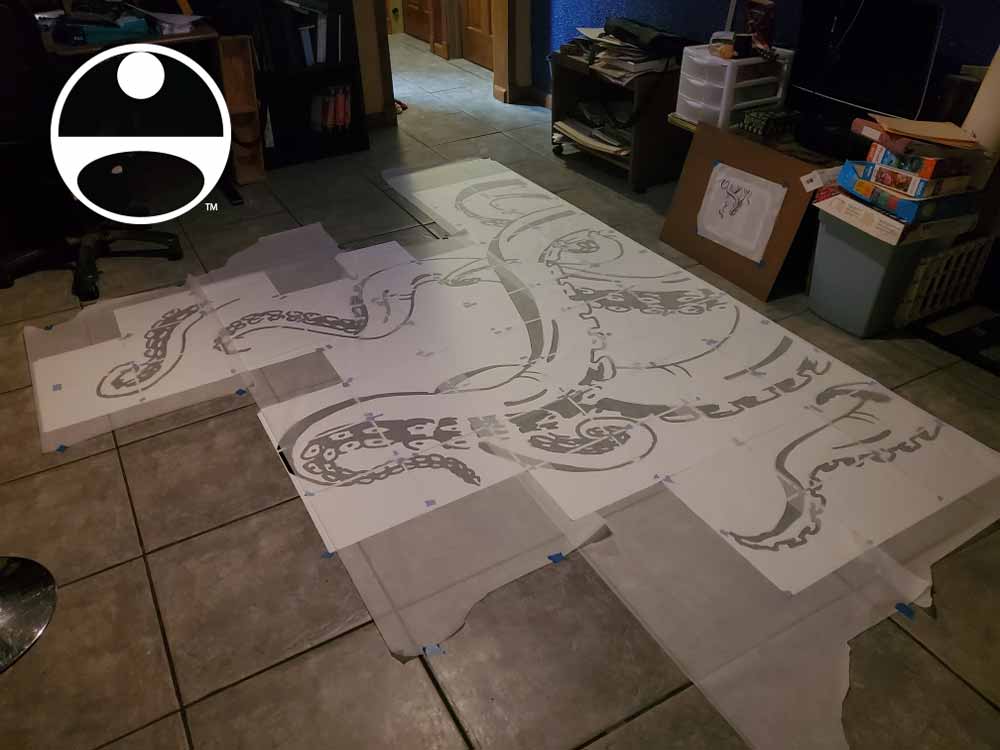
Once I have all of the drawing traced I flip over the tracing paper and traced the drawing from the back. I used graphite sticks because of their width and coverage but you could use a softer pencil (I would say at least a 2B).
I then took the resulting rolls of tracing paper and carefully taped them to the wall where I wanted the image. Then I took a fairly hard pencil again and once again traced over the image. This transfers the image to the wall.
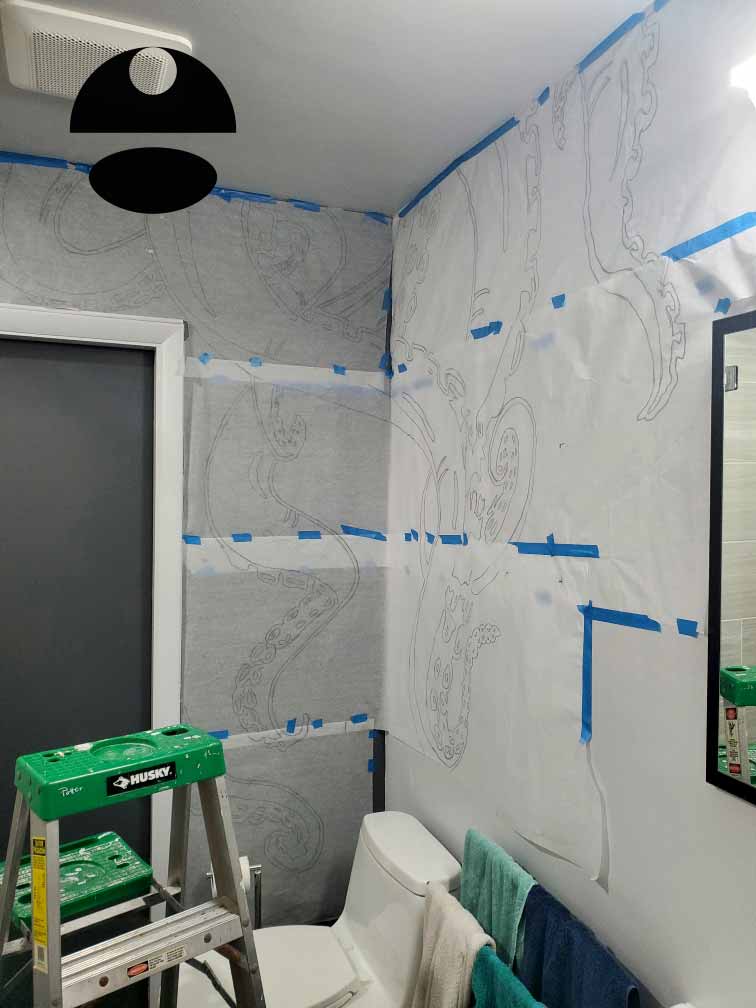
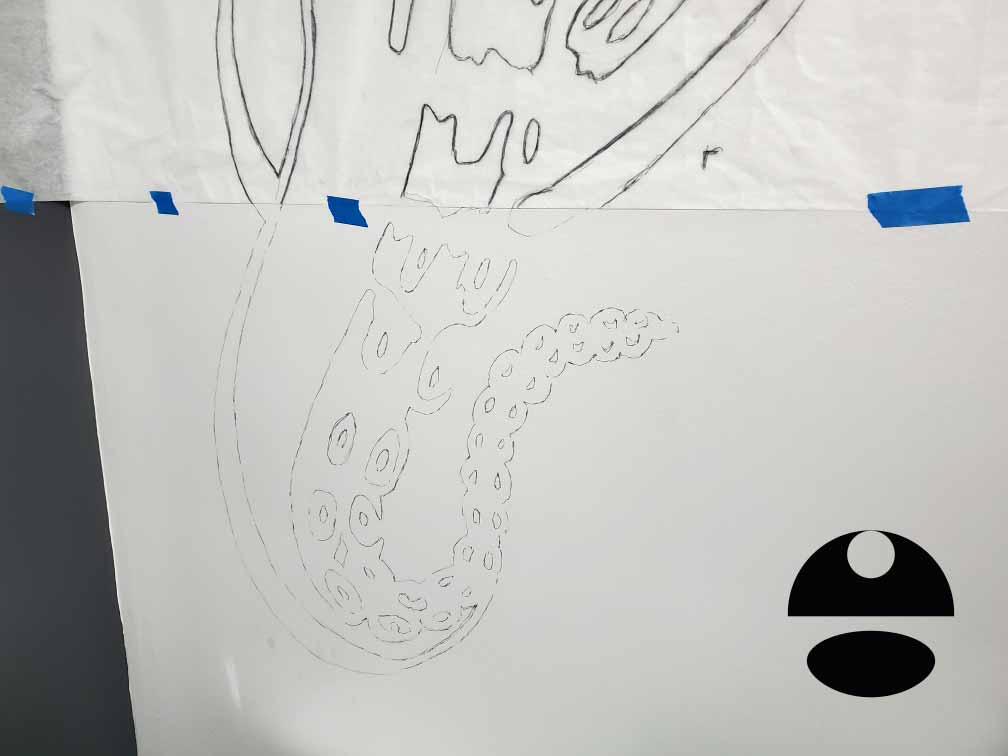
Once I was done I removed the tracing paper. I held onto it for a little while just in case but really could have thrown it out then.
In this case I proceeded to paint in acrylic.


PORTFOLIO SELECTIONS
- Custom illustration & covers: Featuring bespoke illustration, book and magazine covers, hand-drawn maps, and building renderings.
- Fine art & murals: Including one-of-a-kind paintings and drawings, the Custom Halftone Series, and large-scale murals.
- Design & motion media: Covering graphic design, plus video and motion and animated illustration.
- Mapping by application: Tailored maps for marine events, hospitality, waterfront, property, transit, municipal, recreation, and navigation needs.
- Additional creative work: Includes editorial covers, vehicle graphics, concept renderings, and public art.
- Mediums & formats: Ranging from digital vector and isometric projection to traditional paint, line art, GIS-based, aerial-style, and halftone.
- Software expertise: Proficient in Photoshop, Illustrator, SketchUp, InDesign, and Premiere/After Effects for motion. More recently I have worked with AI.