
My map workflow as it has grown with me
John Potter - Artist, Illustrator, Designer
10/24/26
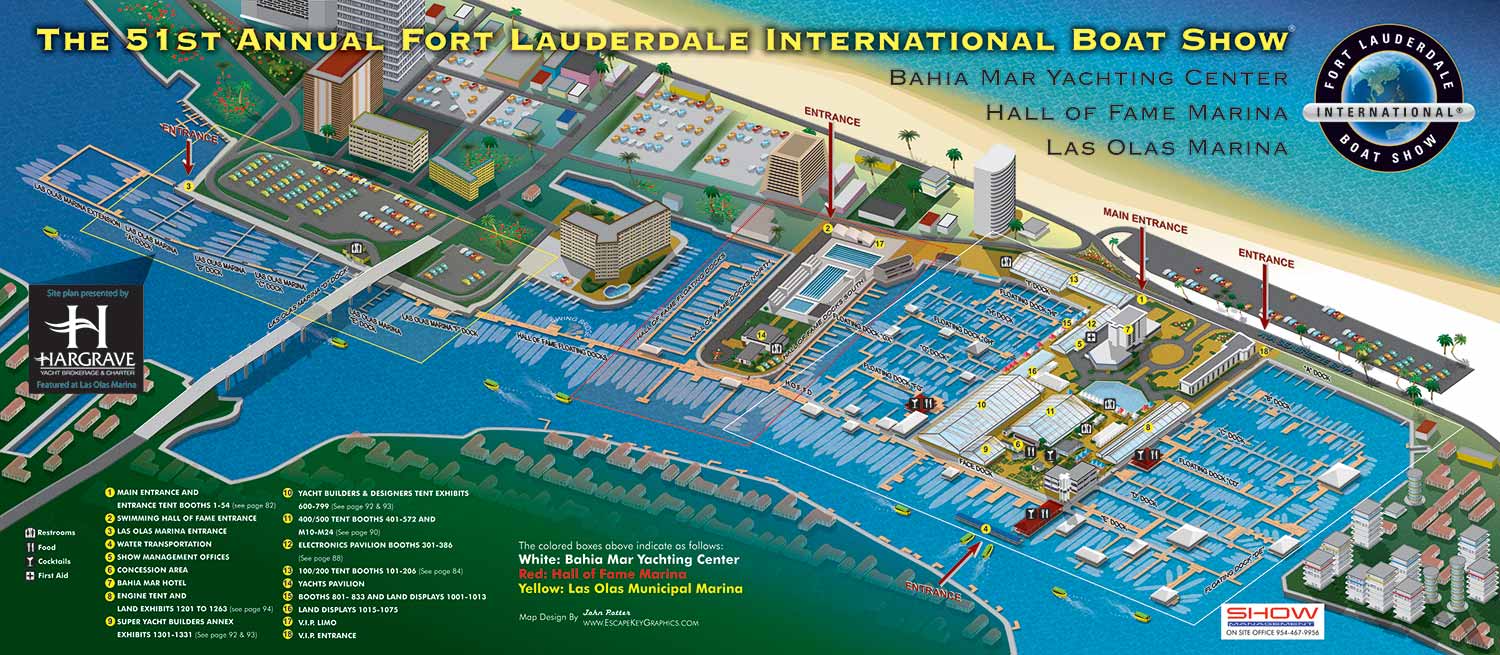
My First Map Making Method - Isometric
When I began making maps, I used an isometric or axonometric method. All of this required mastery of a vector-based software and some ingenuity.
I spent a long time doing isometric drawings before I learned what they were called. I'd seen isometric drawings but didn't know what to call them or how to ask. By the time I had figured out what isometric drawing actually was, I had already worked out the math myself. The short version of the history below: every tool change was a trade-off between speed, cost, hardware demand, and finish. I've tried to keep the trade-offs visible rather than hide them.
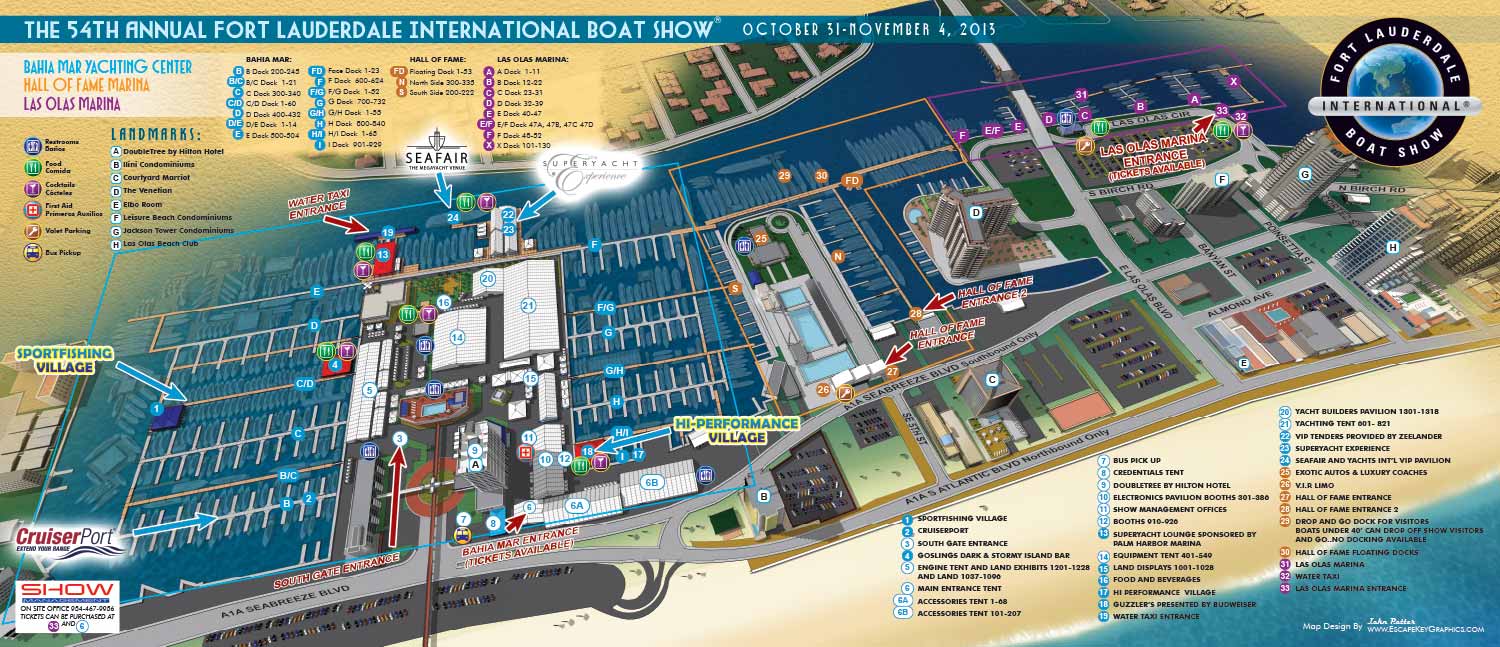
The leap to 3D software
After a few years making maps using the isometric method I wanted to make an upgrade. I wanted something where I could make a 3D model and then render it. This could be more realistic but also open up an opportunity to render from different zoom extents and angles. This could increase the versatility and use of a single file.
In the 1990s I had used 3D Studio and later 3D Studio Max for model building. The results were amazing, but the process was tedious and time-consuming. The software itself was also expensive. I knew I wanted a lighter, faster, and cheaper solution for the maps I was making by then.
SketchUp Pro was the answer to that. SketchUp was originally conceived to make 3D design as fast and intuitive as sketching rather than forcing users through complex, traditional CAD workflows. It was first launched in 2000 and purchased by Google in 2006. I started using it around 2012, just as Trimble took over from Google.
Making more of the 3D software I had
For maybe the first year I rendered straight from SketchUp and called it good enough, but before long I wanted a more finished look. I discovered the work of Alex Hogrefe and his "Visualizing Architecture" techniques in Photoshop. This elevated the look and feel, and although it added steps to my workflow, it required no new software and wasn't demanding on my hardware.
Later I explored rendering engines. Rendering engines are software that takes a model built in one program, like SketchUp Pro, and renders it with more advanced textures and lighting. They provide a look more in line with the aforementioned 3D Studio. I began tinkering with low-cost alternatives. I used them on some projects, but scale and time are huge factors here. A map of a large area really doesn't gain much in terms of visual quality from the subtlety of higher-quality textures and lighting. The other factor was that these engines tend to be demanding on computer hardware. These drawbacks are exacerbated by clients that request large numbers of revisions on tight deadlines. I had to be prepared to endure crashes, keep alternate versions of models with reduced geometry, and resort to a few other time-consuming tricks. Due to all of these factors, I applied the use of rendering engines very selectively.

Integrating AI into my workflow
Now I'm experimenting with using AI to refine renderings from 3D software rather than using a rendering engine that works from the 3D mesh and demands more processing power. In reality I am probably just moving that processing load from my machine to a server farm, but the practical result for me is less demand on my computer. I have had mixed results using AI in this function so far. It proves to be a talented yet easily distracted assistant with little regard for detail. I am presently adjusting my workflow for boat show maps in an effort to integrate AI while retaining the ability to make numerous quick revisions on the parts of the map that constitute the show itself. I will keep using AI where it works and leverage it's advantages as it evolves.
Throughout all of this the illustration creation method has changed a lot but all map keys and logos etc. have remained vector layers on top of the illustration. I don't see that changing any time soon. It's a solid, reliable method.
I am still constantly looking for new software and methods. There is some tantalizing new open source software I am keeping a close eye on.
My hope for the future is to lower my overhead cost without sacrificing quality, exploring new markets for what I'm already doing and adapting to knew opportunities like more interactive maps. This will undoubtedly require me to adjust my workflow again and again. I look forward to it.
I am currently accepting new commissions for . Tell me about your resort, marina, or event and I will let you know how I can help. Contact me.
Also of interest:
- About Me
- General FAQ
- Maps FAQ
- References / Partial client list
- CV: Curriculum Vitae
- Resume
- Revisions
- Map Angles and Scales Explained
- When Computers Took Over - and Then When AI Started To
- History of My Map Workflow
- Large-Area Maps vs. Small-Area Maps
- So You Got Stuck With the Map Project. Let's Make This Easy.
- What I Actually Charge For
BROWSE MY WORK
- Illustration: Browse custom illustrations, book cover art, illustrated maps, and architectural renderings.
- Fine art: View original paintings and drawings, the Custom Halftone Series, and mural commissions.
- Graphic design & motion: See design projects, then watch motion reels and animated pieces.
- Maps by use case: Explore illustrated maps created for boat shows, resorts, marinas, real estate, transportation & parking, cities & towns, parks, and wayfinding.
- Specialty projects: Also check out cover design, vinyl & vehicle wraps, proposal renderings, and street art.
- Style & technique: Discover vector, isometric, painterly, monochrome, data-driven, bird's-eye, and halftone approaches.
- Tools I use: Everyday software includes Photoshop, Illustrator, SketchUp, and InDesign; motion work relies on Premiere & After Effects. Recently I have begun some work using AI as well.