
Mural of Tentacles
Illustration, Design and Mural Painting by John Potter - Escape Key Graphics
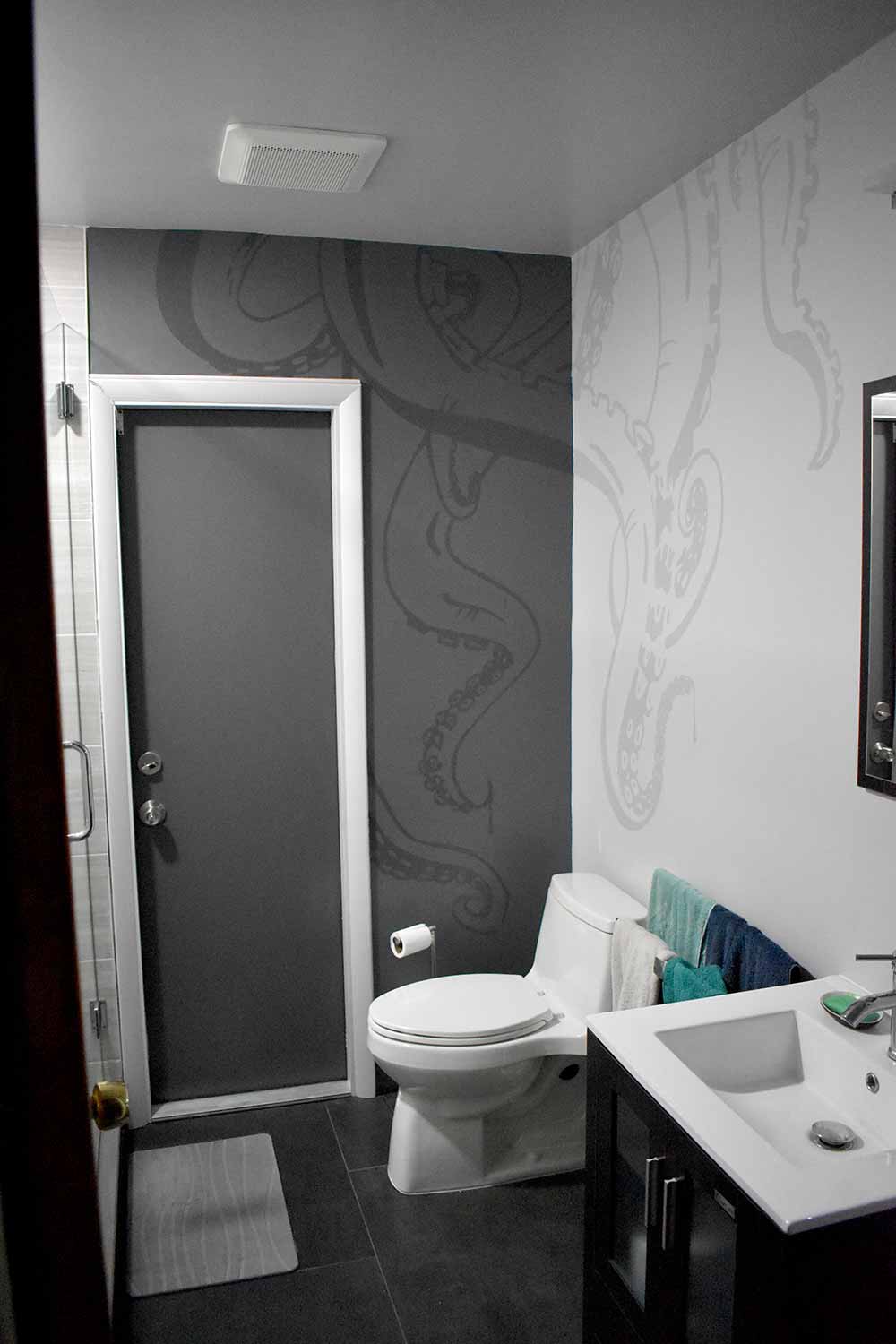
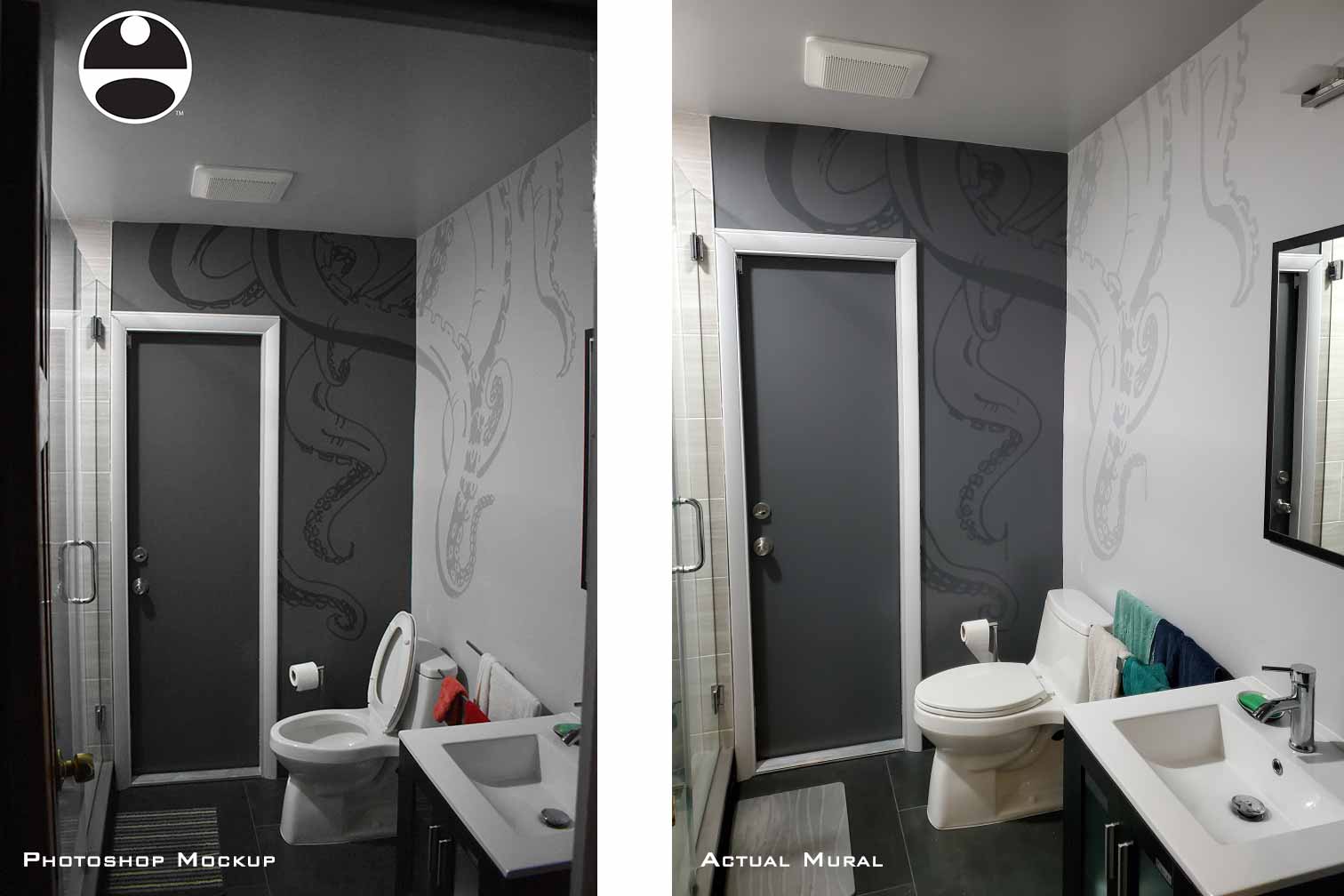
I have gotten a lot of questions about my methods, especially my method of enlarging images for murals. As a result I'm going to explain my workflow for this project.
I first made a diagram of the walls I was going to painting on to ensure it would fit properly. I then drew the illustration with pen and ink.
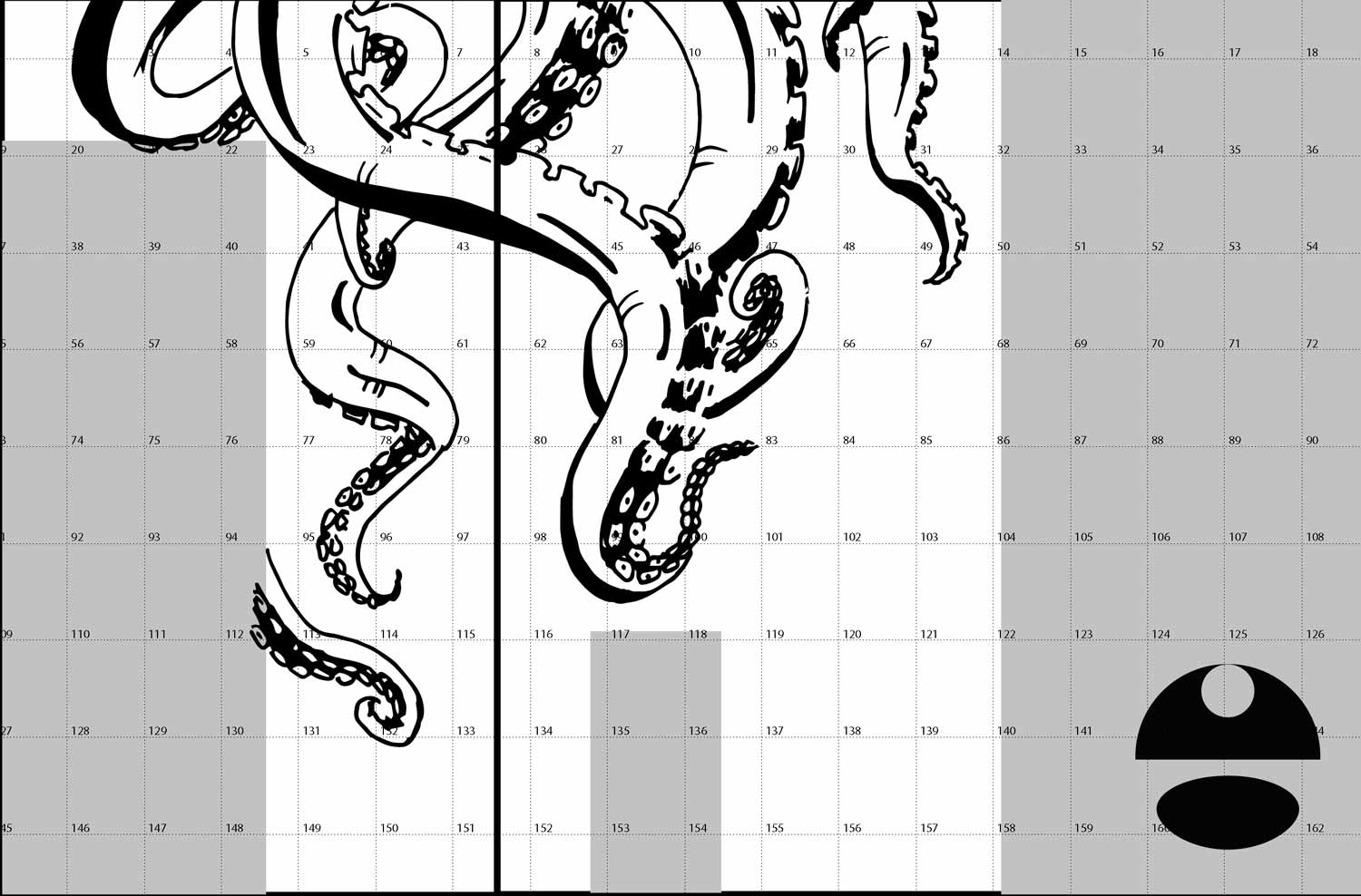
In this case I used tracing paper but I could have transcribed those measurements onto paper or board.
The next step was enlargement and although there are many methods of enlargement including this is the one I selected.
The method I used was to bring the drawing into Adobe Illustrator and using the print options I tiled the single image into several letter sized pages in a PDF file.
I could also have used a website called rasterbator.
I took that PDF file on a jump drive to my local print shop (i.e. FedEx Office, Staples, etc.) and had them print them out. This is far cheaper than doing it myself.
I took the resulting pages and taped them together on my floor in to create the enlarged image. The next task was to take rolls of sketch paper and trace the image onto them manually with a hard pencil (at least an HB).
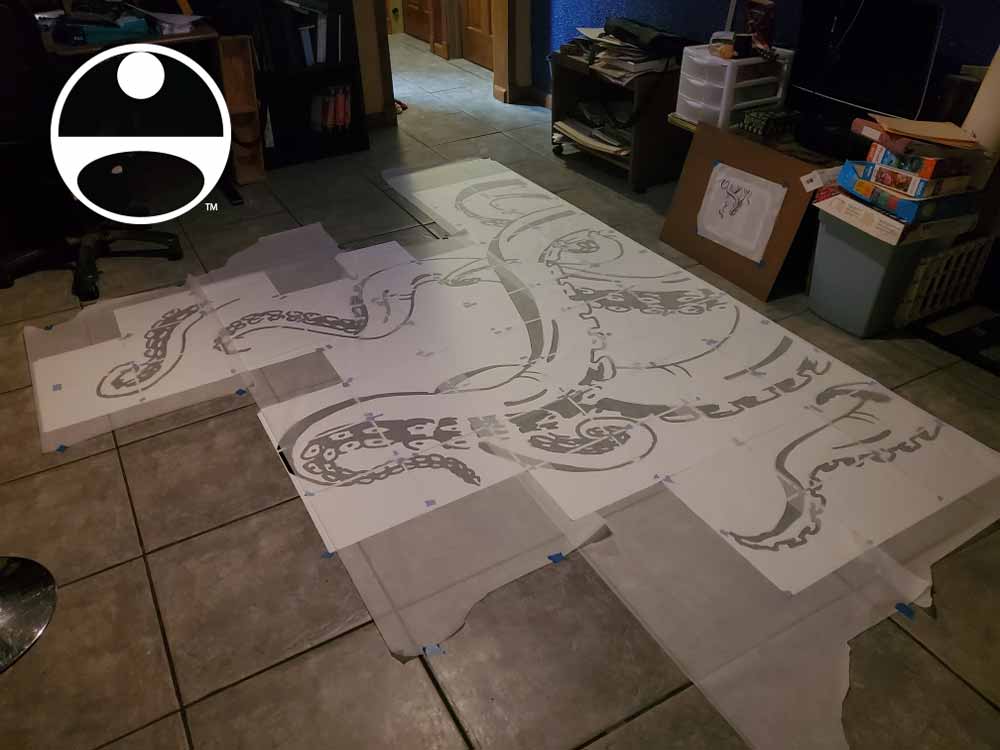
Once I have all of the drawing traced I flip over the tracing paper and traced the drawing from the back. I used graphite sticks because of their width and coverage but you could use a softer pencil (I would say at least a 2B).
I then took the resulting rolls of tracing paper and carefully taped them to the wall where I wanted the image. Then I took a fairly hard pencil again and once again traced over the image. This transfers the image to the wall.
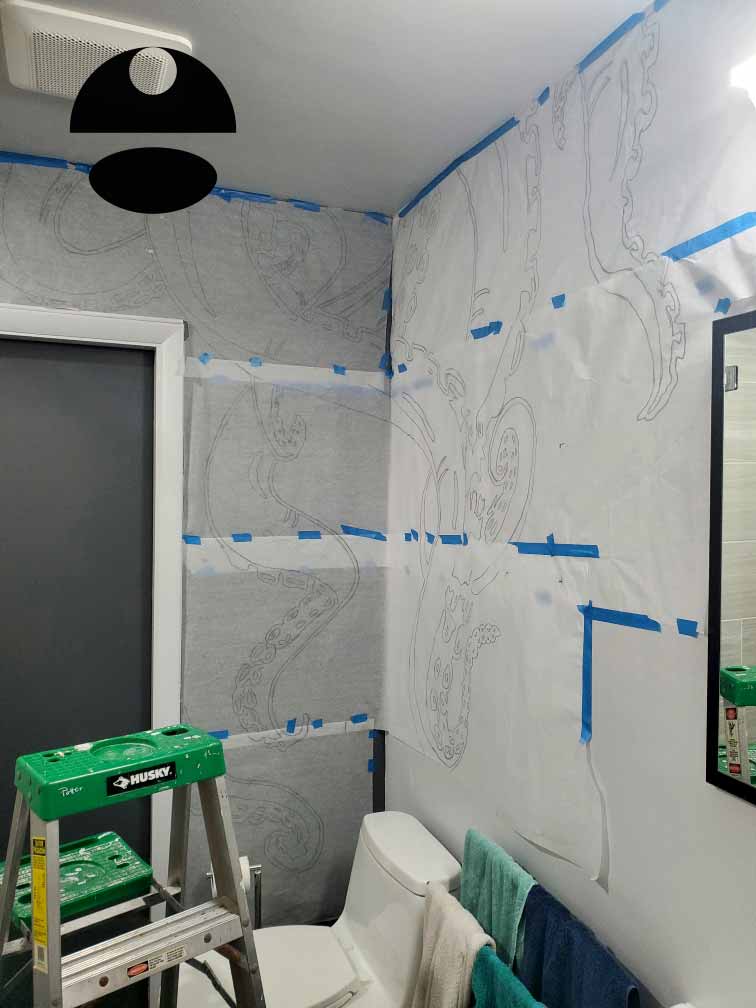
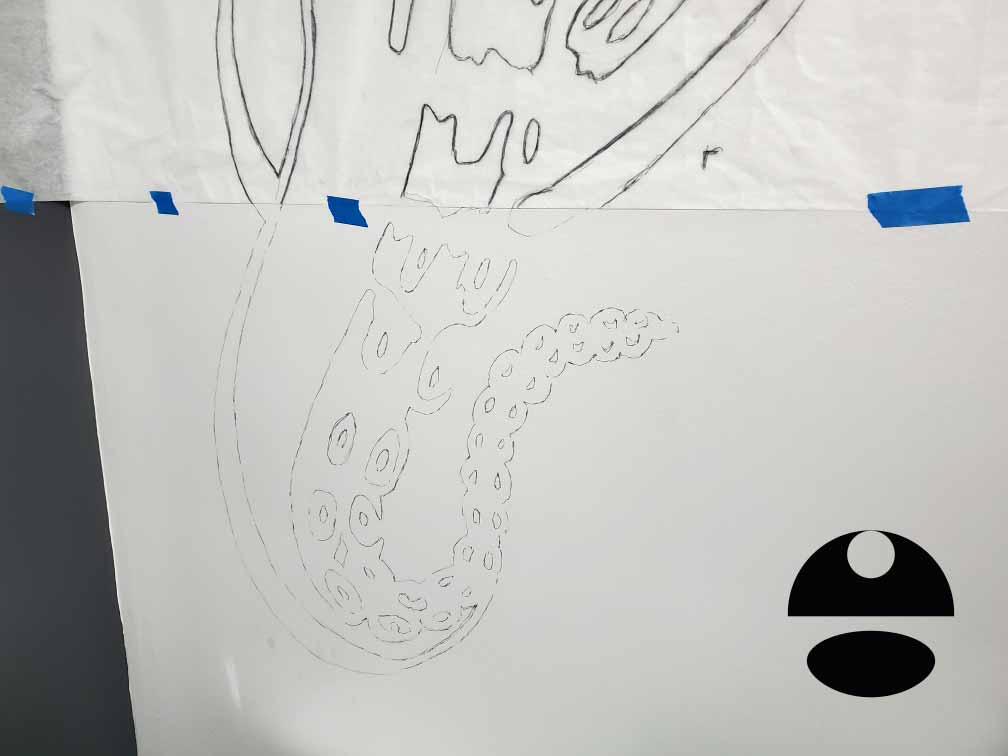
Once I was done I removed the tracing paper. I held onto it for a little while just in case but really could have thrown it out then.
In this case I proceeded to paint in acrylic.


EXPLORE MY PORTFOLIOS
- Illustration: Find custom illustration, book covers, illustrated maps, and architectural rendering.
- Fine Art: Browse original paintings and drawings, the Custom Halftone Series, and murals.
- Graphic Design & Motion: See my graphic design work, plus motion design and animated illustrations.
- Maps by industry: Illustrated maps tailored for boat shows, resorts, marinas, real estate, transit & parking, towns & cities, parks, and wayfinding.
- Other project types: Also available: cover art, vehicle & vinyl wraps, proposal renderings, and street art.
- Techniques: Explore work in vector, isometric & axonometric, painting, black & white, GeoData, overhead, and halftone styles. Recently I have also begun to use AI for some specific solutions.
- Software: Primary tools: Photoshop, Illustrator, SketchUp Pro, and InDesign. Motion work uses Premiere Pro & After Effects.